User manual Problems
The problems page displays a filtered list of the system resources, wether they are problems or not. The problems page displays a list of resources grouped by level of criticity (business level).
On the top side of the page, it is possible to filter the list and to set bookmarks that may be global or user specifically stored.
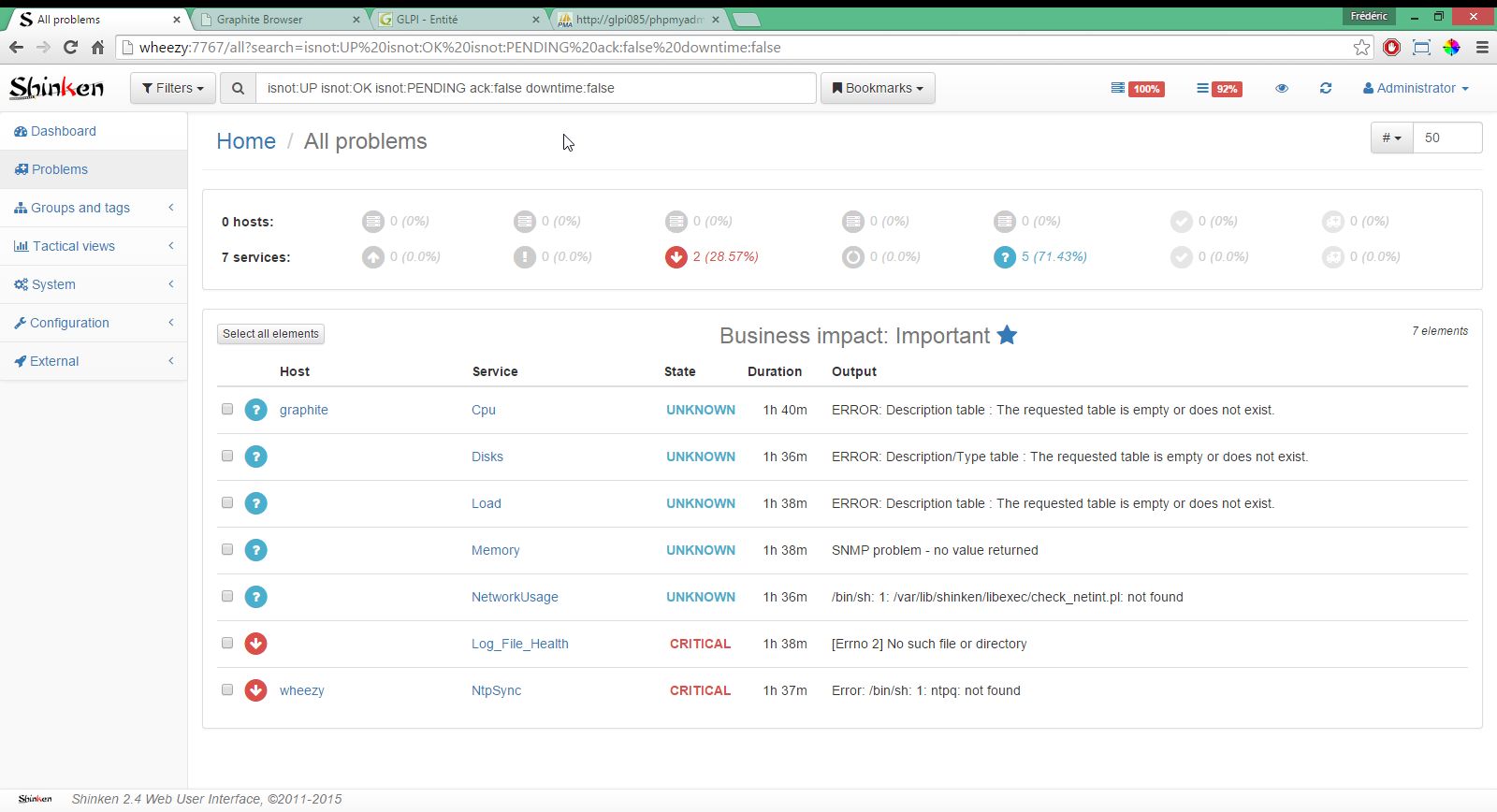
The items displayed in the problems list may be expanded to display more information and actions buttons. If the user is allowed to send commands on the Web UI, he will be able to act on the current element: acknowledge a problem, schedule a downtime, ...
The items can be selected to create a list of selected items on which the allowed user will be able to act in one operation.
Bookmarks are a list of stored filters. When a user wants to store a filter to reuse later, he may bookmarks this filter and store it with a name. The bookmark may then be reused simply bu clicking on its name in the bookmarks list.
The user can make its bookmarks available for all the Shinken Wtb UI users, simply by making it global.
To search for services and hosts (elements), use the following search qualifiers in any combination.
By default, searching for elements will return both hosts and services. However, you can use the type qualifier to restrict search results to hosts or services only.
-
www type:hostMatches hosts with "www" in their hostname.
The is and isnot qualifiers finds elements by a certain state. For example:
-
is:DOWNMatches hosts that are DOWN. -
isnot:0Matches services and hosts that are not OK or UP (all the problems). Equivalent toisnot:OK isnot:UP -
load isnot:okMatches services with the word "load", in states warning, critical, unknown or pending. -
is:ackMatches elements that are acknownledged. -
is:downtimeMatches elements that are in a scheduled downtime.
The bp qualifier finds elements by it's business priority. For example:
-
bp:5Matches hosts and services that are top for business. -
bp:>1Matches hosts and services with a business impact greater than 1.
You can also search by the duration of the last state change. This is very useful to find elements that are warning or critical for a long time. For example:
-
isnot:OK duration:>1wMatches hosts and services not OK for at least one week. -
isnot:OK duration:<1hMatches hosts and services not OK for less than one hour.
You can use the following time units: s(econds), m(inutes), h(ours), d(ays), w(eeks).
Of course, you can't use the "=" sign here. Finding something that is exactly matching would be a huge luck.
Examples:
-
hg:infraMatches hosts in the group "infra". -
sg:shinkenMatches services in the group "shinken". -
htag:linuxMatches hosts tagged "linux". -
stag:mysqlMatches services tagged "mysql".
Obviously, you can't combine htag and stag qualifiers in a search and expect to get results.
Examples:
-
cg:adminsMatches hosts and services related to contacts in contact group "admins". -
ctag:clientMatches hosts and services related to contacts tagged "client".
The realm qualifier finds elements by a certain realm. For example:
-
realm:awsMatches all AWS hosts and services.
 - Shinken Web User Interface, version 2.1+, ©2011-2016