[BUG] 在 Preview 中打开带标题引用的链接时,会重新再打开一个已打开的文档 #1951


Description

BUG 描述
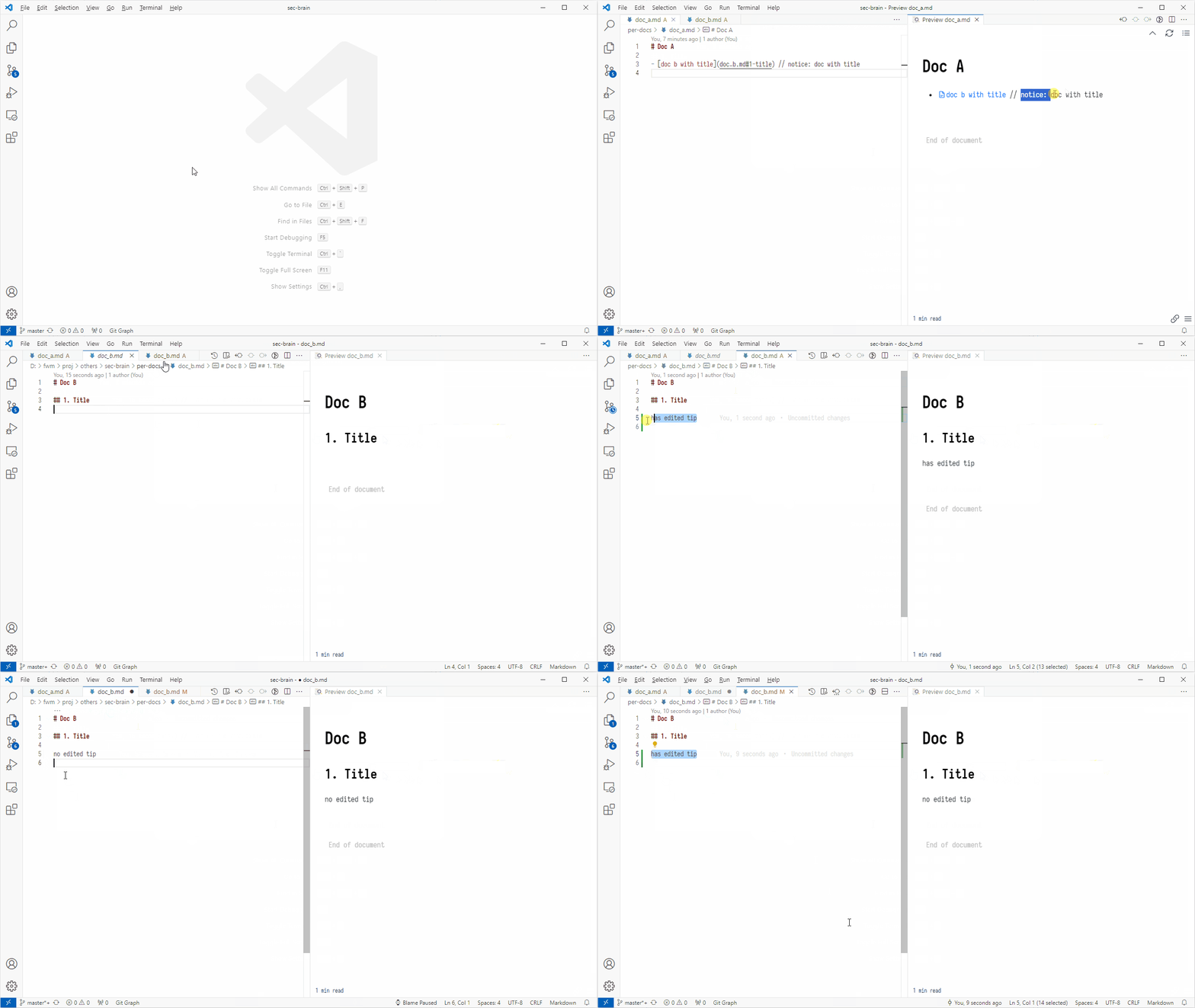
在 Preview 中打开带标题引用的链接时,会重新再打开一个已打开的文档(也就是会出现两个文档),并且在新打开的文档中编辑时不会显示 “已编辑” 提示。
环境
- OS: Windows 10
- VSCode: 1.87.0
- Markdown Preview Enhanced: 0.8.11
重现步骤
Doc a:
# Doc A

- [doc b with title](doc_b.md#1-title) // notice: doc with title
Doc b:
# Doc B

## 1. Title
前提:文档 B 已添加至 Git。
- 打开文档 B,不要关闭;
- 打开文档 A;
- 在 A 文档的 Preview 中点击 B 文档的引用链接;
跳转至 B 文档中对应的标题时会额外再打开一个文档 B,而不是在之前已打开的文档 B 中跳转至对应的标题/行号。
并且在额外打开的文档 B 中进行编辑时,不会在左侧显示已编辑提示。
截屏
BUG 原因猜测
猜测应该是 extension-common.ts 文件中的 clickTagA 函数存在 BUG:
    ....
    } else if (href.startsWith(`${scheme}://`)) {
      ...

      const fileUri = vscode.Uri.parse(openFilePath); // 1. 这里的 `openFilePath` 应该是带 `#` 后缀的

      ...

      if (fileExists) {
        const previewMode = getPreviewMode();
        const document = await vscode.workspace.openTextDocument(fileUri); // 2. 导致这里在打开文档时出现问题
        ...