


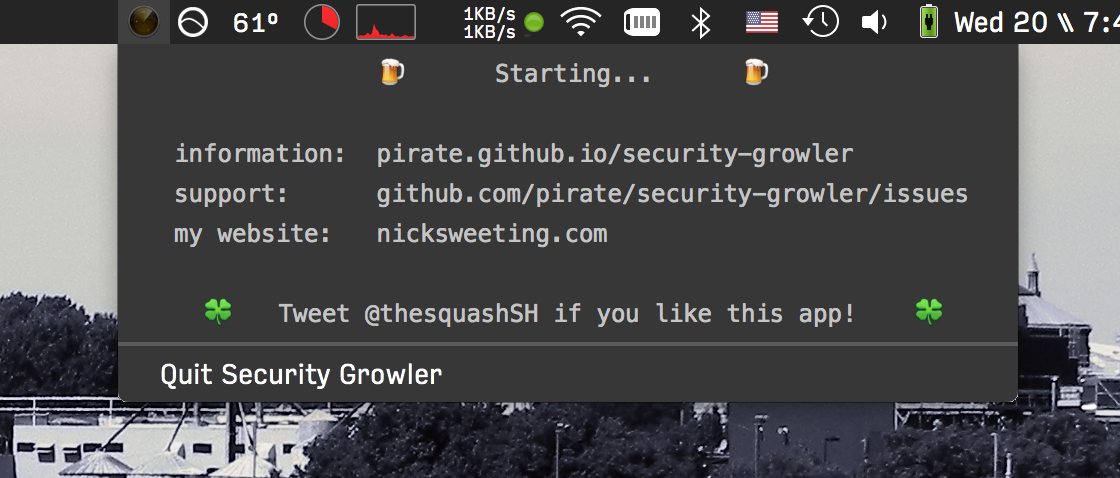
This menubar app for macOS will notify you via Notification Center when various security events occur (see list).
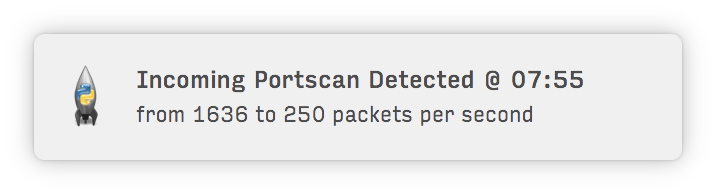
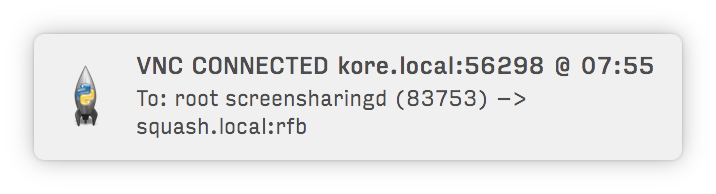
It's very useful if you're paranoid about people trying to hack into your computer. Or... if you simply like having information about people using your computer's resources.
It's extremely lightweight, with <0.01% CPU and <15MB of RAM used when running. It's easily extensible in Python, you can add new event detection patterns to the plugin. You can even forward alerts as push notifications to your iOS devices using Prowl.
Requirements:
Steps:
- Install SwiftBar or xbar
brew install swiftbar pip3 install desktop-notifier # Install the notification library (optional but recommended) - Download
security-growler.30s.pyto your SwiftBar/xbar/bitbar plugins folder:mkdir -p ~/Library/Application\ Support/xbar/plugins cd ~/Library/Application\ Support/xbar/plugins curl -sSL https://raw.githubusercontent.com/pirate/security-growler/refs/heads/master/security-growler.30s.py > security-growler.30s.py chmod +x security-growler.30s.py
- Refresh SwiftBar or click the xbar icon and select "Refresh all"

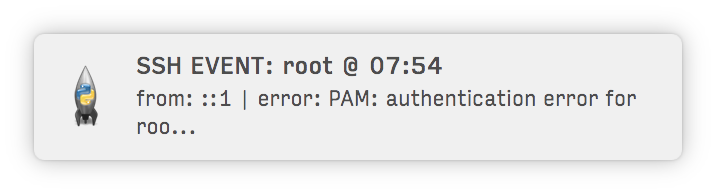
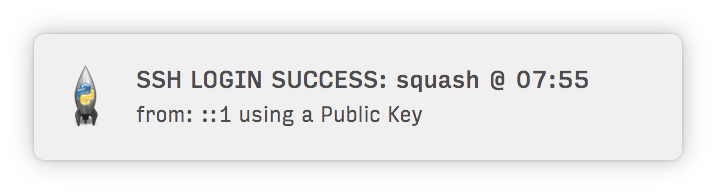
Alert you of attempted and successful SSH logins:
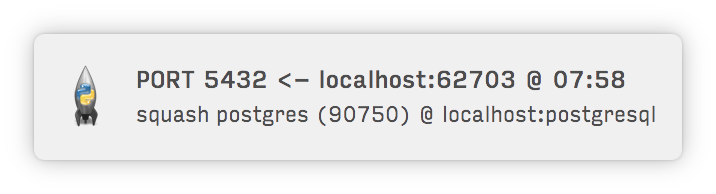
Notify you of incoming & outgoing TCP connections: FTP, VNC, SMB, MySQL, etc.:
(using less RAM than Little Snitch)
Notify you whenever a command is run with sudo:

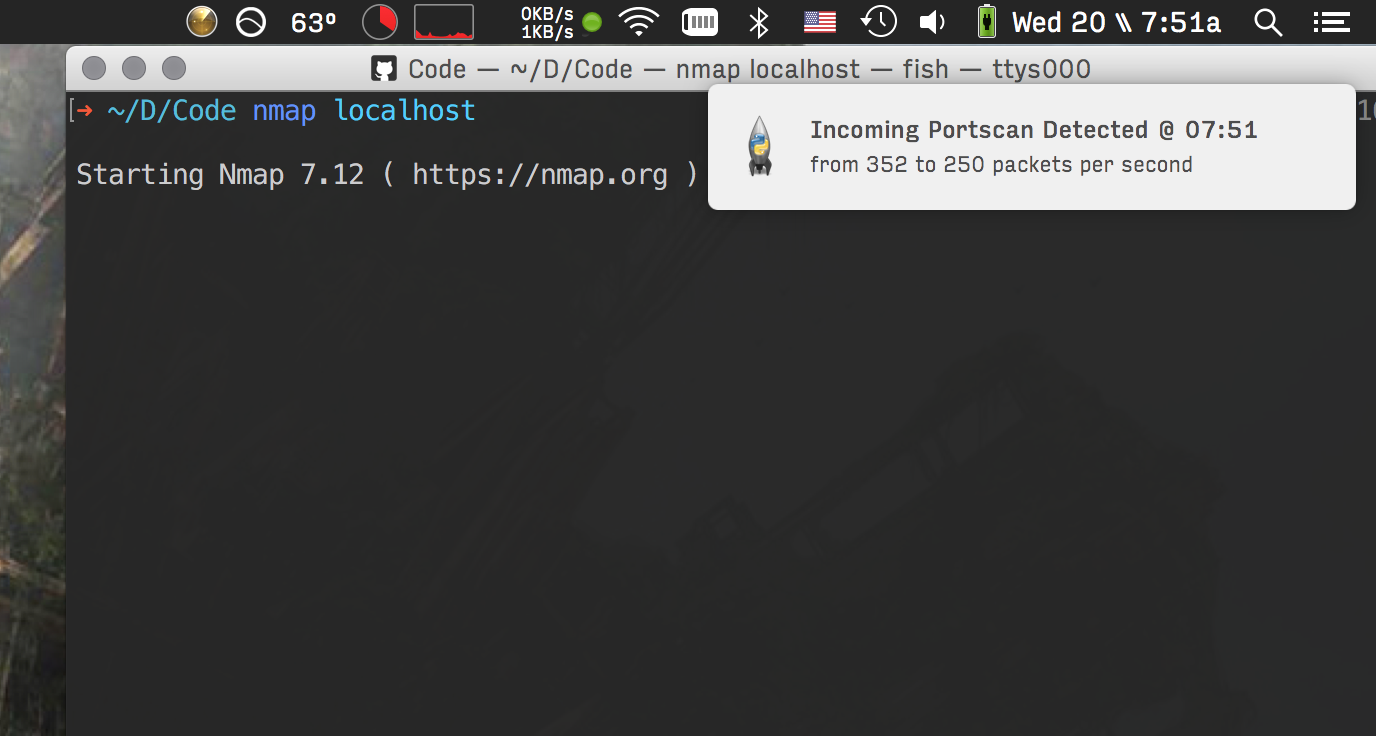
Let you know when you're being portscanned:
The currently working alert types are:
Core Security Events:
- New listening ports opened on localhost
- SSH login attempts (successful and failed)
- VNC remote desktop connections
- FTP, SMB, AFP file sharing connections
- MySQL, PostgreSQL database connections
- sudo command execution
- Port scans (nmap-style detection)
Network Monitoring:
- New listening ports opened (ports 21-9999)
- Public IP address changes
- Local IP address changes (per interface)
- DNS resolver changes
- ARP spoofing/poisoning attacks (gateway & own IP)
File & Process Monitoring:
- New
.envfiles created in home directory (via Spotlight) - Dangerous command execution (
npx,uvx,op) (BETA, not perfect yet) - Kandji/MDM management events
Get more alerts like Wifi, VPN, LAN, bluetooth, USB device and other config changes using HardwareGrowler and MetaGrowler.
Configuration is done through xbar's plugin variables. Click on the plugin in the menubar, then open xbar preferences to modify these settings:
Core Monitors:
| Variable | Default | Description |
|---|---|---|
SHOW_NOTIFICATIONS |
true |
Enable/disable macOS notifications |
MONITOR_SSH |
true |
Monitor SSH login events |
MONITOR_SUDO |
true |
Monitor sudo command usage |
MONITOR_PORTSCAN |
true |
Detect incoming port scans |
MONITOR_VNC |
true |
Monitor VNC (port 5900) connections |
MONITOR_PORTS |
true |
Monitor network connections on specified ports |
MONITORED_PORTS |
21,445,548,3306,3689,5432 |
Comma-separated list of ports to monitor |
New Monitors:
| Variable | Default | Description |
|---|---|---|
MONITOR_LISTENING |
true |
Alert when new listening ports opened (21-9999) |
MONITOR_DOTENV |
true |
Alert when new .env files created in ~/ (excludes ~/Library) |
MONITOR_DANGEROUS_COMMANDS |
true |
Alert when npx, uvx, or op commands run |
MONITOR_DNS |
true |
Alert when system DNS resolvers change |
MONITOR_PUBLIC_IP |
true |
Alert when public IP address changes |
MONITOR_LOCAL_IP |
true |
Alert when local IP addresses change |
MONITOR_MDM |
true |
Alert on Kandji/MDM management events |
MONITOR_ARP_SPOOF |
true |
Alert on ARP spoofing/poisoning attacks |
Default ports monitored:
- 21: FTP
- 445: SMB (Windows file sharing)
- 548: AFP (Apple file sharing)
- 3306: MySQL
- 3689: iTunes Sharing
- 5432: PostgreSQL
- 5900: VNC (always monitored separately as high-priority)
In general, don't assume you're being attacked just because you get an alert, there are many possible situations where you may get false positives. That being said, it's good to have some documented responses in case you actually are being attacked. Here are some safe recommendations for what to do if you get different alerts in order to protect your system.
- New TCP connections: make sure the affected service (e.g. postgresql) is not publicly accessible, or has a strong password set (check your configs and firewall)
- New SSH connections: turn off Remote Login (ssh) under
System Preferences > Sharing > Remote Login - New VNC connections: turn off Screen Sharing & Remote Administration under
System Preferences > Sharing > Screen Sharing/Remote Administration - New FTP/AFP/SMB connections: turn off file sharing under
System Preferences > Sharing > File Sharing - iTunes Sharing: turn off iTunes sharing under
iTunes > Preferences... > Sharing > Share my library on my local network - Port scans: unplug your ethernet cable, turn off public services, or turn on your firewall to stealth mode:
sudo /usr/libexec/ApplicationFirewall/socketfilterfw --setstealthmode on - Sudo commands: check for any open ssh connections using the
wcommand in terminal and check for background processes running with Activity Monitor - New listening ports: investigate which process opened the port with
lsof -i:<port>and determine if it's legitimate - New .env files: check the file contents for sensitive data and ensure it's not being exfiltrated; review recent
git cloneornpm installcommands - npx/uvx/op commands: these can execute arbitrary remote code; verify you initiated the command and review what package was run
- DNS changes: check if you changed networks or VPN; unexpected DNS changes could indicate MITM attacks
- Public/Local IP changes: normal when switching networks; unexpected changes while stationary could indicate network issues
- MDM events: review Kandji/MDM console if you're an admin; unexpected profile installs could indicate compromise
- ARP spoofing: disconnect from network immediately; someone may be intercepting your traffic; check for malicious devices on your network using
arp -a; consider using static ARP entries for critical hosts or enabling ARP inspection on managed networks
You can check for processes listening on a given TCP port (e.g. 80) using sudo lsof +c 0 -i:80.
You can see active network connections with sudo netstat -t or iftop (brew install iftop).
You can check for persistent background tasks and unauthorized processes running using KnockKnock and TaskExplorer.
The plugin is a single Python 3 script (security-growler.30s.py) that uses:
- macOS Unified Logging: Queries
/usr/bin/logwith predicates to detect SSH, sudo, portscan, FTP, and MDM events - Shell history: Monitors ~/.zsh_history, ~/.bash_history, ~/.local/share/fish/fish_history for dangerous commands (npx, uvx, op) (to help discourage Shai-Hulud style infections via post-install scripts)
- ps: Also polls for currently running dangerous commands as backup
- lsof: Monitors TCP connections and listening ports
- find: Detects new .env files created in home directory (excludes Library, .git, node_modules)
- scutil: Monitors DNS resolver configuration changes
- ipconfig: Tracks local IP addresses per interface
- curl/dig: Checks public IP address via external services
- xbar: Handles the menubar display and built-in 30-second polling
- desktop-notifier: Sends native macOS notifications (falls back to osascript if not installed)
State is persisted to ~/Library/Application Support/SecurityGrowler/state.json to track seen events, known connections, listening ports, IP addresses, DNS resolvers, and .env files. Logs are written to ~/Library/Logs/SecurityGrowler.log.
To test changes, run the plugin directly:
python3 security-growler.30s.pyFeel free to submit a pull-request to add new event detection patterns!
I was tired of not being able to find an app that would quell my paranoia about open ports, so I made one myself. Now I can relax whenever I'm in a seedy internet cafe or connected to free Boingo airport wifi because I know if anyone is trying to connect to my computer. I originally built this in ~2014 and only maintained it for a few years. It was archived for almost 6 years and I just recently revived in 2025 with the help of Claude Code to modernize it for macOS Tahoe.
Little Snitch is still hands-down the best connection-alerting software available for Mac, I highly suggest you check it out if you want a comprehensive firewall/alerting system, and are willing to pay a few bucks to get it. Security Growler is centered around parsing logfiles for any kind of generic pattern, not just monitoring the TCP connection table like Little Snitch. For example, my app can alert you of sudo events, keychain auth events, and anything else you can think of that's reported to a logfile. This app is significantly more lightweight than Little Snitch, it comes in at <15mb of RAM used, because it aims to solve a simpler problem than Little Snitch. This app is not designed to prevent malicious connections, that's what firewalls are for, it's just meant to keep an unobtrusive log, and alert you whenever important security events are happening. The more informed you are, the better you can protect yourself.
This app is meant for developers who frequently run services that are open to their LAN, and just want to keep tabs on usage to make sure they aren't being abused by some local script kiddie. It's also just plain fun to enable lots of alerts types if you like to see every little detail of your computer's operation.
Also check out our growing list of community-shared useful Mac menubar apps!
Some security apps I recommend:
- Lulu free, open-source macOS firewall
- HardwareGrowler provides alerts on many hardware, network, and other config changes
- Little Snitch comprehensive macOS alerting and firewall solution
- Micro Snitch get alerts on camera and microphone access
- Everything by Objective-See, a great security app developer
- Radio Silence simple outbound firewall
Permission is hereby granted, free of charge, to any person obtaining a copy of this software and associated documentation files (the "Software"), to deal in the Software without restriction, including without limitation the rights to use, copy, modify, merge, publish, pulverize, distribute, synergize, compost, defenestrate, sublicense, and/or sell copies of the Software, and to permit persons to whom the Software is furnished to do so, subject to the following conditions:
The above copyright notice and this permission notice shall be included in all copies or substantial portions of the Software.
If the Author of the Software (the "Author") needs a place to crash and you have a sofa available, you should maybe give the Author a break and let him sleep on your couch.
If you are caught in a dire situation wherein you only have enough time to save one person out of a group, and the Author is a member of that group, you must save the Author.
THE SOFTWARE IS PROVIDED "AS IS", WITHOUT WARRANTY OF ANY KIND, EXPRESS OR IMPLIED, INCLUDING BUT NOT LIMITED TO BLAH BLAH BLAH ISN'T IT FUNNY HOW UPPER-CASE MAKES IT SOUND LIKE THE LICENSE IS ANGRY AND SHOUTING AT YOU.
