Proposal: FlexLayout, Flexible widget, TextBaseline, .... #1840
Conversation


…anvasObject instead of a fyne.Widget, now they can also accept a nil widget that will let it work as a layout.Spacer

|
Is CrossAxisAlignment basically a VerticalAlignment? cross-axis applies specifically to this sort of layout, but I wonder if these sorts of alignments could be useful elsewhere. p.s. Adding I think I need to write up a document about our current-state of alignment / padding so we can understand it better. |

No, it depends of what Axis you choose. Axis can be horizontal or vertical. I haven't organized very well the code in this draft as I have locally, so when I upload the changes maybe it will more clear.
Yeah, I proposed it just for a problem I had, but I have solved it, so it's not needed now.
I haven't uploaded last changes I have locally yet, but basically now Row container can work as container.HBox (but in a more powerful way), and it is the same for the proposed Column container and the existing container.VBox |
… widget.Flexible test, handle child visibility in flexlayout and flexlayout test added, added new containers called container.NewRow and container.NewColumn
|
@andydotxyz I have just updated! :) |
|
This is a lot of constants, all added to the top level, to support 1 layout? In general it feels like this is bringing a layout and API in from Flutter instead of finding a way to match and extend the Fyne design. It should be possible to get the benefits of baseline alignment with a lot less extra API. |
Yes, that's a fair point. But as the constants names are general, maybe it can be useful for other things maybe in the future? Otherwise, they can be inside layout package but it will look weird, I think.
Cross-Axis is not vertical alignment, however baseline is only possible when Cross-Axis is the vertical one, when Cross-Axis is the horizontal one it will do the same as CrossAxisAlignmentStart. It is necessary to have different constants because as you can see only the MainAxisAlignment has SpaceAround, SpaceEvenly and SpaceBetween options.
Only Baseline is specific, and for Cross-Axis Horizontal as I said above, it will means CrossAxisAlignmentStart.
I don't think so, for flutter all the things are widgets, for Fyne it is not. That's why I define FlexLayout in layout package implementing the Fyne Layout interface. I am just extending Fyne layout package.
It is not only about baseline alignment, it is about of axis alignment in general. Currently, Fyne does not provide any axis alignment, as far as I know (sorry if I am wrong). |
|
Can we re-visit the additional functionlity with the smallest possible additional API? |
Yes, we can. However, I don't understand very well what the part
That's the only two options I have in mind, but maybe I am missing something, have you though in any other? If yes, please let me know and I will try to implement it :)
What do you mean? You mean the top level constants? |
|
Your idea about adding support for better alignment in VBox and HBox is an interesting one - do you have a feeling for how that might look?
The top-leve ones worry me the most yes. The |
Yes, there could be a new constructor called
Yes, that's a possibility. However I am worried about that the default behavior is all expanded, with the proposed implementation here, the expansion is optional by wrapping the widgets into a new widget called However, I think this last problem is just related of how I have implemented Flexible widget, maybe I could force the Flexible widget to track the the visibility of its child widget? (although I don't think it is possible, because it would mean that a child is modifying its parent). Another possibility is to simply extract the object, held by the FlexibleWidget, inside Layout method of the V/HBox layout and check the visibility from it and not from the FlexibleWidget. What do you think?
I see, good point, so maybe these new types should live in Layout package. |
I did not notice the flexible widget before - what is its purpose? |
We have avoided putting metadata on widgets to control layout algorithm - this is not how the container / layout API is designed to work. |
Yes, that's why I said later that it could live inside layout package as it is not exactly a widget (just like
I don't see why it would break current layout algorithms as it would be the same as
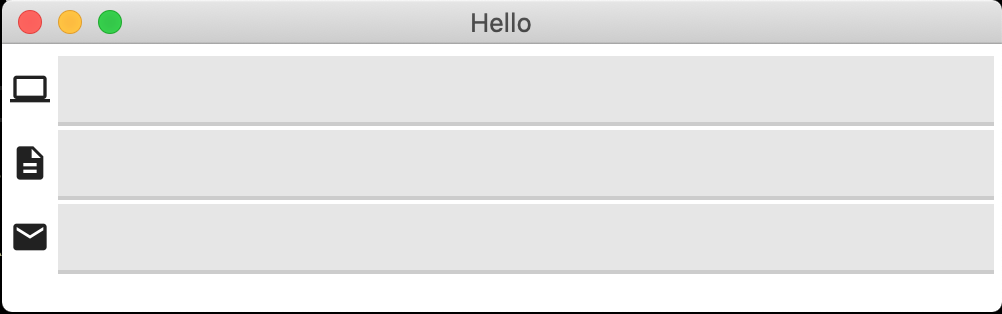
Ok, let's suppose you are trying to build this layout:
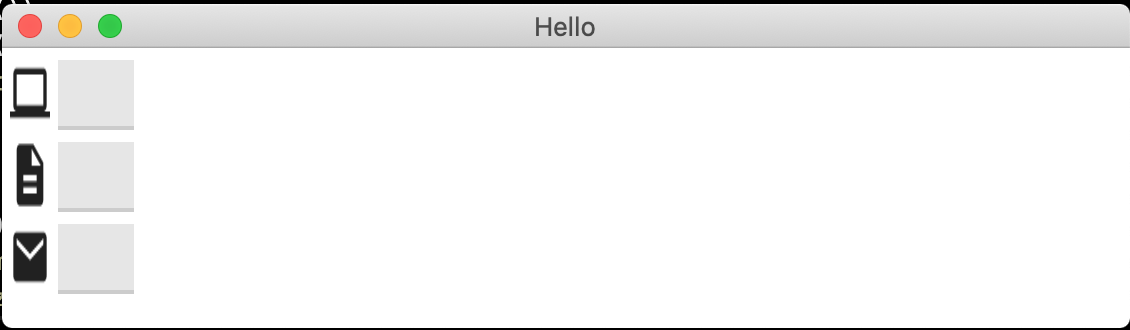
If you do it with the current VBox and HBox, you are going to get this:
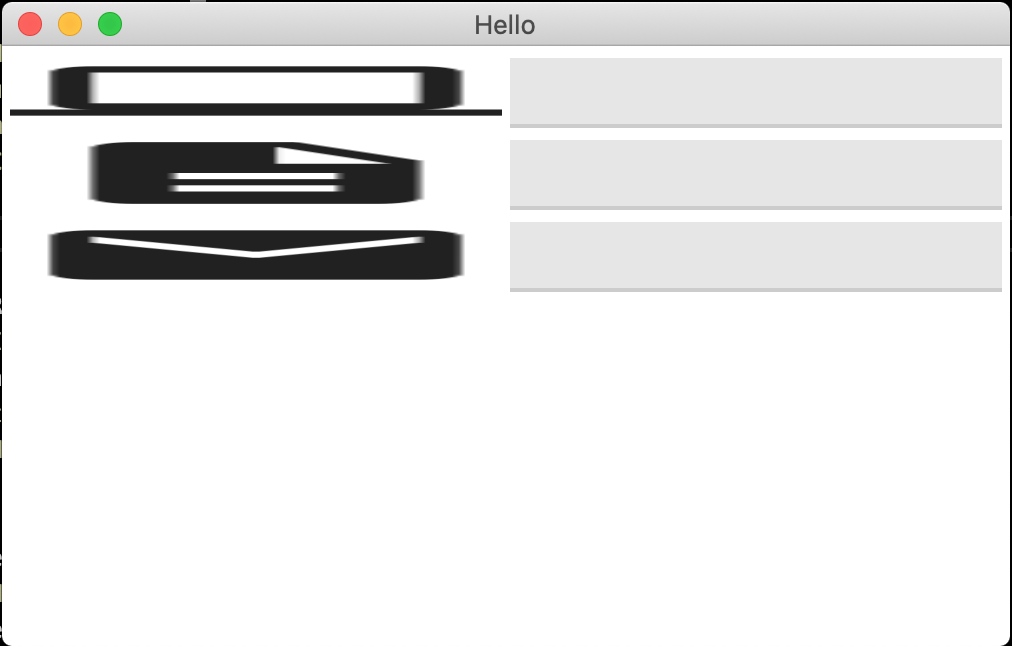
With Grid Layout:
To get the desired behavior you will have to create a custom or extended widget. But with the proposed layout it isn't needed. Maybe there are other easier ways to accomplish this situation that I am not seeing, so I could be wrong (sorry if my appreciations are wrong, I just want to help). This situation maybe is not really useful, and for the most use cases I think you are right, expanded by default is the direction Fyne should go. I think the most useful part in this draft is the CrossAxisAlignment (specially to solve the problem about the widget baselines), so maybe it is possible to add at least that functionality to the current VBox/HBox or Grid layouts, what do you think?
This solution will solve the problem that we cannot have different widget's heights or widths because current layouts don't do cross axis alignment. Sorry, I don't get it. #4 and #47 are unsolved issues not solutions. Cassowary algorithm seems to be more complex and not user friendly (maybe I am wrong, it is the first time I heard about it and looking out for examples of it, it doesn't seem to be very friendly). As an internal layout engine sounds a great idea, but maybe it will take too much time, won't it? |
|
You are quite right what you desire to do cannot be accomplished with VBox and HBox. They are designed to pack widgets into vertical or horizontal boxes with the smallest space possible while looking good. To have elements stretch you would need a different layout/container. Consider using To focus this on “HBox does not support baseline alignment” does sound like a good idea and it solves a clearly defined problem. |
It works better, but not perfect unfortunately:
The icon is expanded to match the Entry height. Although this could be solved by increasing the size of the icon it is not what the user initially wanted.
Yes, but I have just realized that
Got it, but I don't think they talked about the CrossAxisAlignment. #47 was an effort to bring web FlexBox design to Fyne, and it is focused on flex properties. #4 is great, but it was opened on 2018, it has been passed almost 3 years now, maybe an intermediate solution could be great? I have tried to find Cassowary implementations but could not find a many of them, python's one seems to be the best one (although this project
No worries.
You are right, sorry about that. I thought it would be great to have a solution that covers not just one problem, but others too; however it resulted in a confusing proposal, really sorry. |
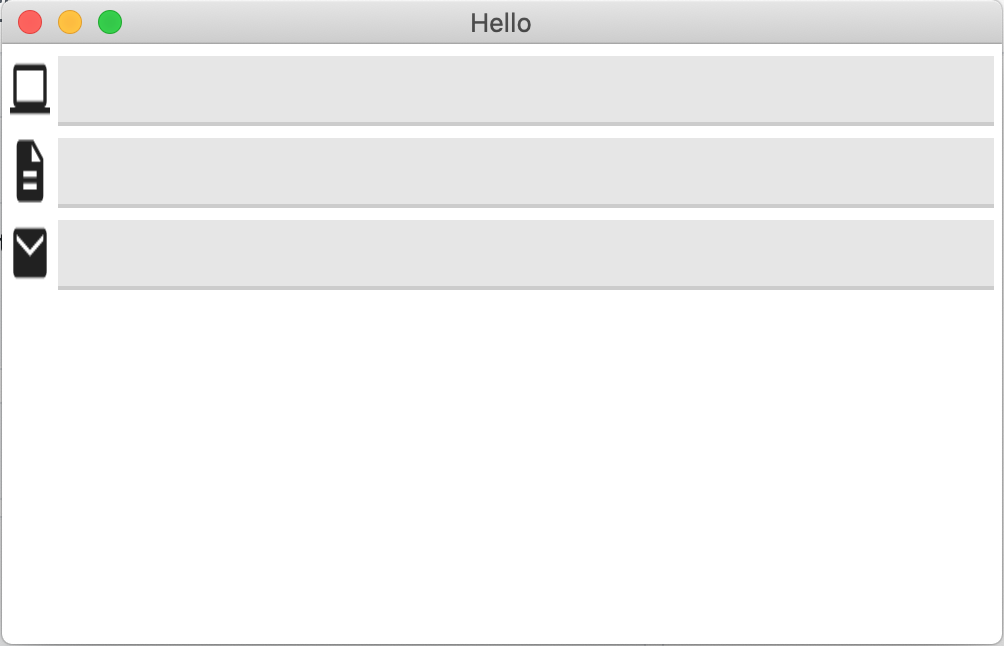
mid you wish to avoid an element expanding you can place it in another container, perhaps
Indeed, this seems to be the crux of the matter. What the minimal approach to fixing this is what I am interested in drilling down to. VBox fills horizontally and HBox fills vertically - but an additional api that makes this configurable could be a possibility? cassowary is what iOS (and some Android?) use for their app layouts (auto-layout is another name). If this ticket is to be focused on baseline alignment then I agree the other tickets done encapsulate the improvement. |
You are right, that solves the problem 🥳. However, it seems like a workaround solution instead of a solid one? I mean, it was not really clear (at least for me) how to reach to that solution. But maybe it is because I am not very familiar with Fyne layouts. Nevertheless, considering that some of the people who come here, have background experience with other frameworks/toolkits, it might be a little hard to figure out how to accomplish some common tasks they used to use.
Yes, that's a possibility. There could be For example, VBox and GridWithRows are related and HBox and GridWithColums too, the only difference is that the Sorry, for all these questions.
Oh I see, I have no experience in iOS native development. I have a bit experience in Android native development, and it has some kinds of constraint layouts (indeed there is a layout called Constraint, IIRC), but to be honest, I didn't like it, it was hard to align elements (the relativity is great until you want to remove or hide an element or make a specific element work different from others without actually impacting the others). Indeed, that's one of the reasons that led me to migrate to hybrid solutions first Ionic, and finally Flutter. |
I don't understand why. As with the rest of Fyne the API it is designed to be simple whilst supporting complex solutions can by combining elements. You can see this in action at the end of https://developer.fyne.io/started/layouts page.
This is true - but given that every toolkit has their own way of handling layouts I don't think it makes sense to implement a huge variety of APIs to accomidate this. We have had requests for CSS and Java layouts too - but when it's a different approach we have decided not to. The Cassowary could be considered as it is self-contained as a single layout (though as you noticed it has not been implemented because we found it's not really needed). This is why I want to focus on what cannot be done, so we can fix / add support with focus.
I don't think so - it is designed to stretch elements along the sides. elements on the edges will surely have more than a single baseline?
All our layouts could have been defined by a single system (Like cassowary #4) but we decided to make a more semantic API, such as grid, border etc, that covers many cases with trivial amounts of developer code in comparison.
Indeed, hence our semantic API based approach. |
Because in the previous example, I don't want specifically to center the icon, I just wanted to avoid it to be expanded.
I am agreed with this.
Fair enough.
If we put a text based widget in the border layout, definitely we need some alignment, don't we? And what about
Yes, that's a good decision. However considering
Yes, that's good :) |
Indeed - but not expanded in what way? centered, vertical top or bottom etc are all possible with different layouts (i.e. VBox and a Spacer could cover the other two).
I was imagining that it will more likely be a multiple line element as borders are most commonly used for the whole app.
Quite possibly. If this becomes about fixing the alignment of various layouts then the location of the constants would need to be considered carefully (like the text alignment). |
Yes, you are right. I have just realized it, thanks :). Although it seems that it involves many different layouts that make the solution be a bit confusing and a bit hard to figure out how to accomplish it, but again that could be because I am not very familiarized with it.
Yes, that's why I told you that at least for me, the previous solution (that use BorderLayout) looks more like a workaround instead of a direct solution.
Yes, it is possible, where could we discuss these design considerations? I wonder if there could be something like
|
|
After playing with layouts, I managed to implement the previous proposal: The above code is equivalent to: So basically, the proposal is to keep the current
Expanded containers make the children have the same size along the main axis (just like |
Normally large changes take the form of a proposal: https://github.com/fyne-io/fyne/wiki/Contributing:-Proposals I don't understand the addition of "Expanded" or "Stretch" - I think that is confusing how small elements could fit within a larger space compared to widgets filling space and arranging their content.
All widgets will expand when asked to... Adding an |
Got it.
Well, if we do it (using horizontal and vertical), we would have 7 constants, while we could have just 4 (if group in as
Ok, now I am lost.
You mean this part [
Hmm I really don't understand.
You mean box layouts?
Yes, current Fyne layout's behavior is: |
The grid widget expands in both dimensions. Most layouts do. Box is special in that it tries to compact on the main axis.
Because the default for layouts is to expand/stretch - in our other usage of the word Alignment it is to specify how something fits within the space. |
Yes, good catch. I have put all these considerations in the wiki proposal page: https://github.com/fyne-io/fyne/wiki/Proposal%3A-Aligned-and-Expandable-BoxLayout
Got it, then CrossAlignmentStretch could be private, just to add that default behavior to default constructors. |
|
Closed in favor of wiki proposal. |

|
Hi, apologies for commenting on a closed ticket but how can I track the status of this proposal? |
|
@andydotxyz Should've been more clear; my issue isn't finding the proposal, it's understanding what is happening with it. Nothing about the proposal details its status or how someone might contribute to it. |

|
I know this is not necessarily answering your question, but have you looked at the responsive design experiment that was recently contributed to fyne-x? For a demo of it: https://github.com/fyne-io/fyne-x/blob/master/cmd/responsive_layout/main.go . It feels to me like it could maybe address the same need. |
Thank you! That definitely looks like it might address my use-case. |
There is an "Implementation" section at the bottom that lists any active work. |
4 participants


Description:
It seems that Fyne needs more powerful containers/layouts to create more beautiful widgets with different sizes (related to #1701). This proposal include a FlexLayout that is divided in two main layouts
RowandColumn, its implementation is heavily based on Flutter's Row and Column widgets. These new layouts will accept two parameters MainAxisAlignment and CrossAxisAlignment where the user can specify how to align the objects inside it.There would be two new widgets called
FlexibleandExpandedthat will help these new layouts to know the flex factor desired.New common methods for all existing widgets are required or maybe just an independent interface?? Every widget should have two methods:
func DistanceToTextBaseLine() float32Used for Row layout to align objects based on the text baseline.func String() stringorfunc Name() stringUsed for FlexLayout for debug purposes.This PR is currently a draft should be improved and needs some decisions on current widgets, suggestions are very welcome :)
Some screenshots:
flexlayout_responsive.mp4
Checklist:
Where applicable: