
Inspired by Vim, Kakoune and Hiew.
Arch Linux users: The package for Arch Linux is available on AUR.
Others: Just run cargo install teehee! If you don't have rust, you can get it from rustup.rs.
The application will be available as the executable teehee. More installation options may be coming in the future.
Reverse engineers, software engineers and other IT people often need to work with binary files. Hex editors are usually the go-to tool for dealing with binary file formats when a more specialized tool isn't available. Many of the existing hex editors lack support for modal editing, which Vim/Kakoune/Emacs users will miss. Hiew supports it to an extent, but it's non-free software, and its keybinds are unintuitive. Teehee is designed to offer a native-feeling experience to Kakoune and Vim users, while also providing additional hex editing capabilities like coloured marks for regions of data and encryption/compression scripts.

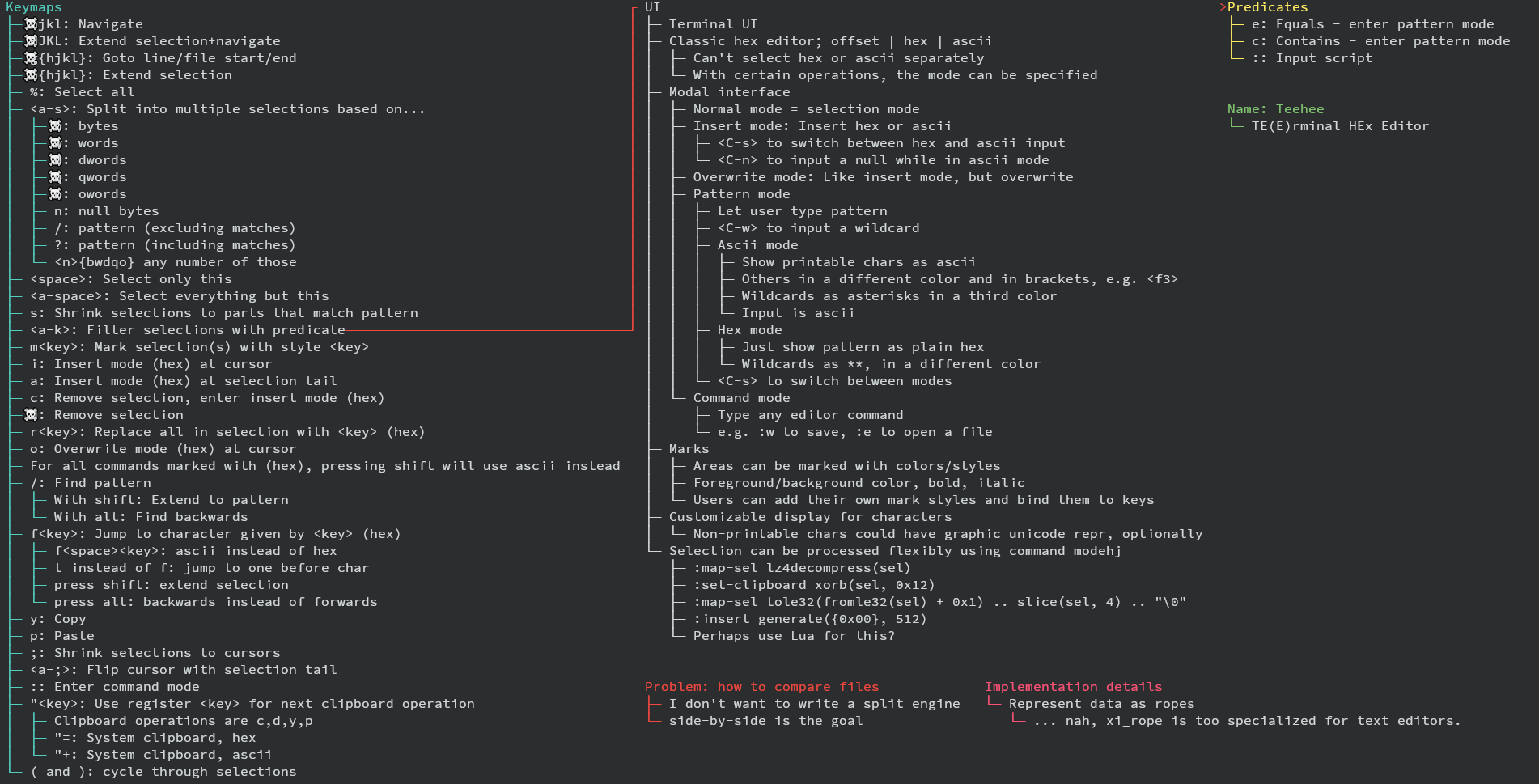
Teehee supports multiple selections, efficient selection modifying commands and various data editing operations.
hjklfor movement (press shift to extend selection instead)
    ^
    k
< h   l >
    j
    v
g[hjkl] for jumping (G[hjkl] to extend selection instead)h: to line startl: to line endk: to file startj: to file end<count>gjumps to offset,<count>Gextends to offset
<C+e/y>to scroll down/up;to collapse selections to cursors<a-;>(alt and ;) to swap cursor and selection end<a-s>(alt and s) to split selection to multiple selections of size...b: 1 bytew: 2 bytes (Word)d: 4 bytes (Dword)q: 8 bytes (Qword)o: 16 bytes (Oword)n: delimited by null bytes/: matching a text pattern (?for hex pattern)
dto delete selected data from bufferito enter insert mode at the beginning of selections (Ito insert hex instead of ascii)ainstead ofito enter append mode insteadoinstead ofito enter overwrite mode insteadcinstead ofito delete selection contents, then enter insert mode<c-n>to insert a null byte in ascii mode<c-o>to switch between ascii and hex inserting
(and)to cycle main selection<space>to keep only main selection,<a-space>to keep all selections but mainr<key>to replace a each selected character with the ASCII character givenR<digit><digit>instead ofrto replace with a single hex character insteadr<c-n>to replace with null bytes
yto yank/copy selections to register"pto paste register"contents fromy/d/csto collapse selections to those matching a text pattern (Sfor hex pattern)Mto measure length of current main selection (in bytes)uto undo,Uto redo:to enter command mode:qto quit:q!to force quit (even if buffer dirty):wto flush buffer to disk:w <filename>to save buffer to named file:wato flush all buffers to disk:e <filename>to open a new buffer:dbto close a buffer:db!to close a buffer even if dirty:wqto flush buffer, then quit
Entering a pattern:
<C-w>to insert a wildcard<C-o>to switch input mode (ascii <-> hex)<esc>to go back to normal mode<enter>to accept pattern- arrow keys,
<backspace>and<delete>also supported
Counts:
- The following commands maybe prefixed by a count:
- Movement (
hjklandHJKL) - Selection modification (
()<space><a-space>) - Jump to offset (
gandG) - Paste (
p) - (In split mode)
bwdqon
- Movement (
- Counts are inputted by typing digits 0-9 (in hex mode, 0-f).
xswitches between hex and decimal mode.- Note that
a-fmay shadow some keys, so switch out of hex mode before running a command. - Example:
y5p: yank the selection and paste it 5 times. - Example:
50l: Move 50 bytes to the right. - Example:
x500g: Jump to offset 0x500 - Example:
<a-s>x12xb: Split selection into parts of 0x12 bytes.
Releases are signed with the following PGP key:
9330E5D6861507BEFBF1893347E208E66179DC94. The source code can be found on
the GitHub releases page, along
with the signature of the source code tgz.