See your CSVs
Following on the tails of 3D models and geographic data, GitHub.com now also supports rendering tabular data in the form of .csv (comma-separated) and .tsv (tab-separated) files. When viewed, any…
Following on the tails of 3D models and geographic data, GitHub.com now also supports rendering tabular data in the form of .csv (comma-separated) and .tsv (tab-separated) files.
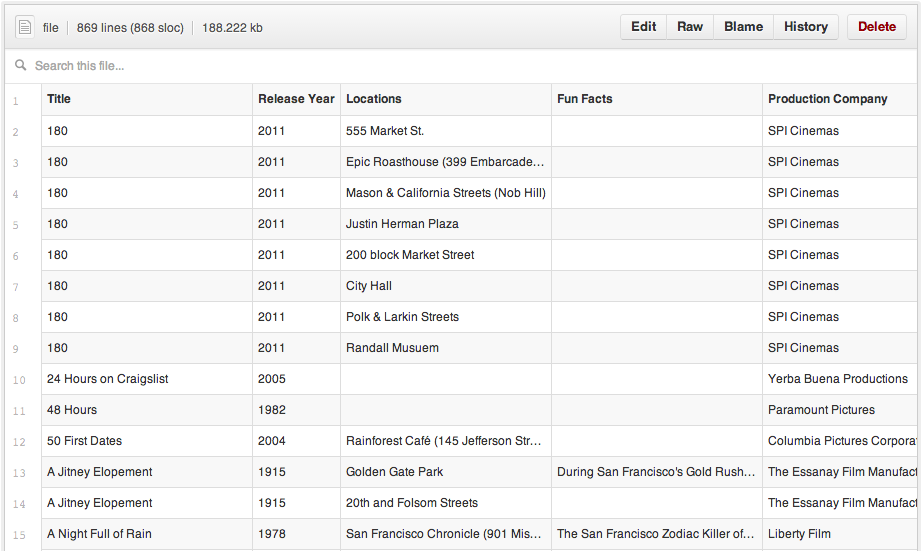
When viewed, any .csv or .tsv file committed to a GitHub repository will automatically render as an interactive table, complete with headers and row numbering.
You can even link to a particular row simply by clicking the row number, or select multiple rows by holding down the shift key. Just copy the URL and send it to a friend.

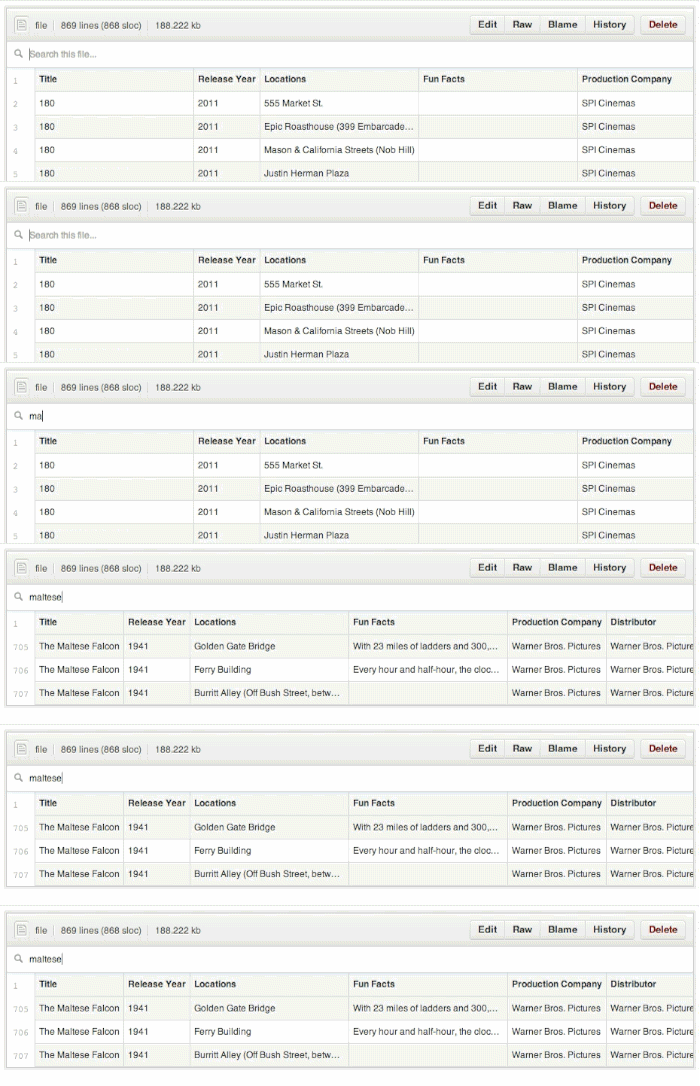
Want to see if a certain value is in your dataset? Just start typing and the data filters itself.
Building software is about more than code. Whether analyzing a government dataset, comparing performance benchmarks, or parsing crash reports, working with tabular data on GitHub just got a little bit easier.
For more information, check out our help article.
Happy Analyzing!
Written by

Related posts

Your stack, your rules: Introducing custom agents in GitHub Copilot for observability, IaC, and security
Use partner-built Copilot agents to debug, secure, and automate engineering workflows across your terminal, editor, and github.com.

The ultimate gift guide for the developer in your life
Finding the perfect gift for your favorite developer is easy with our top tips.

Why developers still flock to Python: Guido van Rossum on readability, AI, and the future of programming
Discover how Python changed developer culture—and see why it keeps evolving.